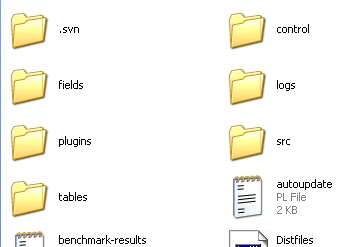
1. Download the valexe here: valexe
2. Make a backup files of your own valexe.
3. Paste the valexe you download on your Ragnarok Online folder.

The dual is still working December 07, 2010
Read more...


# v1.0: Tierra Maps OnlyIn your config.txt paste this:
# Features: AI choice
# PK Behavior
# Random Map
# Notes:
# The error in SpawnPub automacro is normal.
# This is to spam the chat room incase the room is full.
# Save and setup your Bot in Aldebaran Town
automacro Maroll {
location aldebaran
exclusive 1
run-once 1
call {
do move 151 110
do talknpc 146 109 c c r0 n
release Maroll
}
}
automacro GoHome {
location not aldebaran
location not bat_room
location not bat_a01
location not bat_a02
exclusive 1
run-once 1
call {
do move aldebaran
release GoHome
}
}
automacro BGroomEntry {
location bat_room
exclusive 1
priority 1
run-once 0
call {
$randomMap = @eval($::config{Battle_Random})
if ($randomMap == 0) goto ContBGRoom
if ($randomMap == 1) goto RandomMapTierra
:RandomMapTierra
$RandomMapChoice = @random ("tierra1","tierra2","tierra3","tierra4")
do conf Battle_Map $RandomMapChoice
goto ContBGRoom
:ContBGRoom
call CharPos
}
}
automacro TalkNPC1 {
location bat_room 132 175 135 169
exclusive 1
run-once 0
call TalkBGnpc
}
automacro TalkNPC2 {
location bat_room 148 175 151 170
exclusive 1
run-once 0
call TalkBGnpc
}
automacro TalkNPC3 {
location bat_room 132 131 135 125
exclusive 1
run-once 0
call TalkBGnpc
}
automacro TalkNPC4 {
location bat_room 148 132 151 125
exclusive 1
run-once 0
call TalkBGnpc
}
automacro SpawnPubT1 {
location bat_room 57 223
exclusive 1
run-once 0
call EnterPub
}
automacro SpawnPubT2 {
location bat_room 114 223
exclusive 1
run-once 0
call EnterPub
}
automacro SpawnPubT3 {
location bat_room 57 207
exclusive 1
run-once 0
call EnterPub
}
automacro SpawnPubT4 {
location bat_room 114 207
exclusive 1
run-once 0
call EnterPub
}
automacro SpawnPubF1 {
location bat_room 85 223
exclusive 1
run-once 0
call EnterPub
}
automacro SpawnPubF2 {
location bat_room 141 224
exclusive 1
run-once 0
call EnterPub
}
automacro SpawnPubF3 {
location bat_room 85 207
exclusive 1
run-once 0
call EnterPub
}
automacro SpawnPubF4 {
location bat_room 141 207
exclusive 1
run-once 0
call EnterPub
}
automacro tierraEntry1 {
location bat_a01
exclusive 1
run-once 0
priority 1
call TierraAI
}
automacro tierraEntry2 {
location bat_a02
exclusive 1
run-once 0
priority 1
call TierraAI
}
automacro PKAtk {
console /Player (.*) \((\d+)\) attacks You.*/i
exclusive 1
run-once 1
call RespondPK
}
automacro PKSkill {
console /Player (.*) \((\d+)\) uses (.*) on you.*/i
exclusive 1
run-once 1
call RespondPK
}
automacro TierraExit1 {
location bat_a01 50 374
exclusive 1
run-once 0
call GetBadge
}
automacro TierraExit2 {
location bat_a01 43 17
exclusive 1
run-once 0
call GetBadge
}
automacro TierraExit3 {
location bat_a02 50 374
exclusive 1
run-once 0
call GetBadge
}
automacro TierraExit4 {
location bat_a02 43 17
exclusive 1
run-once 0
call GetBadge
}
macro CharPos {
$Map = @eval($::config{Battle_Map})
if ($Map == tierra1) goto Pos1
if ($Map == tierra2) goto Pos2
if ($Map == tierra3) goto Pos3
if ($Map == tierra4) goto Pos4
if ($Map == flavius1) goto Pos1
if ($Map == flavius2) goto Pos2
if ($Map == flavius3) goto Pos3
if ($Map == flavius4) goto Pos4
:Pos1
$randomX1 = @random ("132","133")
$randomY1 = @random ("171","172","173","174")
do move $randomX1 $randomY1
goto endCharPos
:Pos2
$randomX2 = @random ("148","149")
$randomY2 = @random ("171","172","173","174")
do move $randomX2 $randomY2
goto endCharPos
:Pos3
$randomX3 = @random ("132","133")
$randomY3 = @random ("125","126","127","128")
do move $randomX3 $randomY3
goto endCharPos
:Pos4
$randomX4 = @random ("148","149")
$randomY4 = @random ("125","126","127","128")
do move $randomX4 $randomY4
goto endCharPos
:endCharPos
stop
}
macro TalkBGnpc {
$Map = @eval($::config{Battle_Map})
if ($Map == tierra1) goto NPC1
if ($Map == tierra2) goto NPC2
if ($Map == tierra3) goto NPC3
if ($Map == tierra4) goto NPC4
if ($Map == flavius1) goto NPC5
if ($Map == flavius2) goto NPC6
if ($Map == flavius3) goto NPC7
if ($Map == flavius4) goto NPC8
:NPC1
do talknpc 124 178 c r0 n
stop
:NPC2
do talknpc 140 178 c r0 n
stop
:NPC3
do talknpc 125 121 c r0 n
stop
:NPC4
do talknpc 140 121 c r0 n
stop
:NPC5
do talknpc 133 178 c r0 n
stop
:NPC6
do talknpc 148 178 c r0 n
stop
:NPC7
do talknpc 133 121 c r0 n
stop
:NPC8
do talknpc 148 121 c r0 n
stop
}
macro TierraAI {
$AI = @eval($::config{Battle_AI})
if ($AI == 0) goto AI1
if ($AI == 1) goto AI2
:AI1
call IdleAI
stop
:AI2
$Map = @eval($::config{Battle_Map})
if ($Map == tierra1) goto AI11
if ($Map == tierra2) goto AI11
if ($Map == tierra3) goto AI22
if ($Map == tierra4) goto AI22
:AI11
do move 162 49
do a 0
goto EndAI2
:AI22
do move 171 345
do a 0
goto EndAI2
:EndAI2
stop
}
macro IdleAI {
$Map = @eval($::config{Battle_Map})
if ($Map == tierra1) goto Pub1
if ($Map == tierra2) goto Pub1
if ($Map == tierra3) goto Pub2
if ($Map == tierra4) goto Pub2
:Pub1
$PubX1 = @random ("351","352","353","354","355")
$PubY1 = @random ("350","351")
do move $PubX1 $PubY1
goto EndPub
:Pub2
$PubX2 = @random ("352","353","354","355","356")
$PubY2 = @random ("47","48")
do move $PubX2 $PubY2
goto EndPub
:EndPub
$randomPub = @random ("Be Right Back","Away From Keyboard","Eating","Taking a Bath","Sleeping")
do chat create "$randomPub"
stop
}
macro RespondPK {
$PKPlayer = $.lastmatch2
$PK = @eval($::config{Battle_PK})
if ($PK == 0) goto PK1
if ($PK == 1) goto PK2
:PK1
do e wah
goto EndRespondPK
:PK2
do e gg
do kill $PKPlayer
goto EndRespondPK
:EndRespondPK
call TierraAI
stop
release PKAtk
release PKSkill
}
macro EnterPub {
do chat join 0
pause 1
stop
}
macro GetBadge {
do talk 2
stop
}
##### Battle Grounds Config #####
Battle_Map tierra1
Battle_AI 1
Battle_PK 0
Battle_Random 0
#################################
NPC locations:
tierra1 | flavius1 | tierra2 | flavius2
tierra3 | flavius3 | tierra4 | flavius4
Battle_AI
0 = Going AFK. Doing a random Pub with an excuse as a title ,
1 = Going to Attack. Tierra: Going to the enemy food and attack it.
Battle_PK
0 = If someone attacks you or use a skill on you. will not respond and will continue what you're doin (Battle_AI),
1 = If someone attacks you or use a skill on you. will respond by attacking the player with the weapon equipped.
Battle_Random
0 = will use the map specified in Battle_Map over and over again,
1 = will go to a random Map every round.